A kitchen board and a server menu that always agree.
Line Board is something we are building right now. The kitchen marks a dish out and the server menu changes with it, right away. You can talk to it, paste in a recipe card, and check a delivery in on the day it arrives. There is a live demo with sample data you can try today.
- 216
- test commands for the voice, run three times: 1 wrong change in 648, stopped by the confirm screen before it saved
- 190 of 190
- recipe lines read exactly as written on the card, across 24 reads of 12 sample cards
- 585
- automated checks we run before each change ships
- 0
- restaurants using it yet. It is a demo with sample data, and we say so
Jump to what you care about.
- 01What Line Board isOne board, one menu, always the same
- 02Tap your nameEach person gets the screen for their job
- 03The cook's screenBoard, prep list, use-by labels
- 04Mark it out, the floor sees itSide by side, and on a TV
- 05Say it out loudTested on 216 commands
- 06The manager's sideStock, orders, and a delivery check
- 07Paste a recipe cardIt becomes a costed dish on the menu
- 08Done and still to buildWhere the build stands today
- 09Try the demoSample data, not a real kitchen
One board, one menu, the same at all times.
A restaurant runs on two lists that never match: what the kitchen has, and what the floor is selling. Line Board makes them one list.
The board
What is in, what is low, what is gone. Every dish on the menu is checked against real stock, so a dish goes out on its own the moment an ingredient does.
The server menu
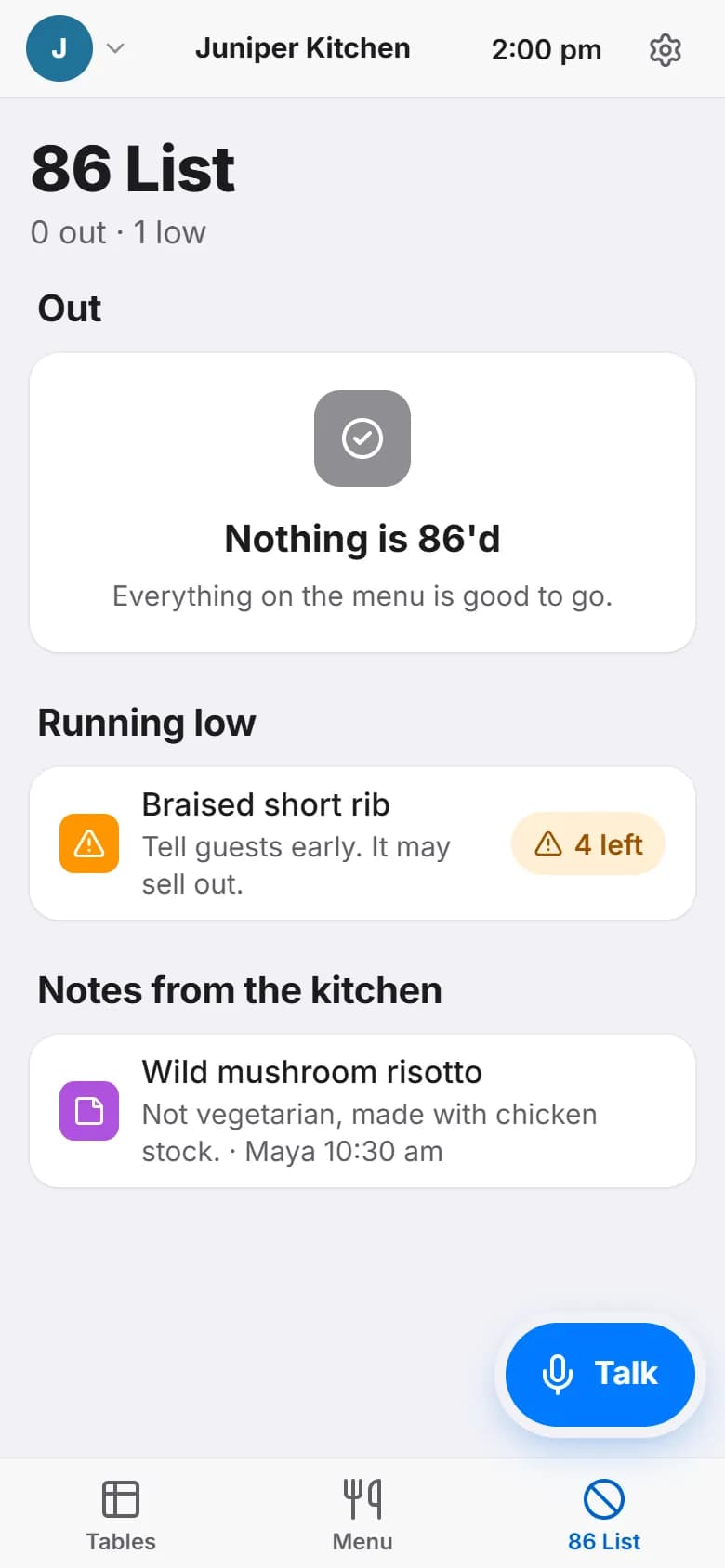
Servers see only dishes that can still be made, with a note when one is running low. They tap a dish to add it to a table.
A voice you can talk to
Say “86 the asparagus” or “we're low on limes” and it does the work. Anything that costs money asks first, and every change has an undo.
Ordering and deliveries
The order list comes from what tonight needs. When a case comes in short, the credit request is written for you.
Read more on the restaurants and cafes page.
Each person gets only what they need.
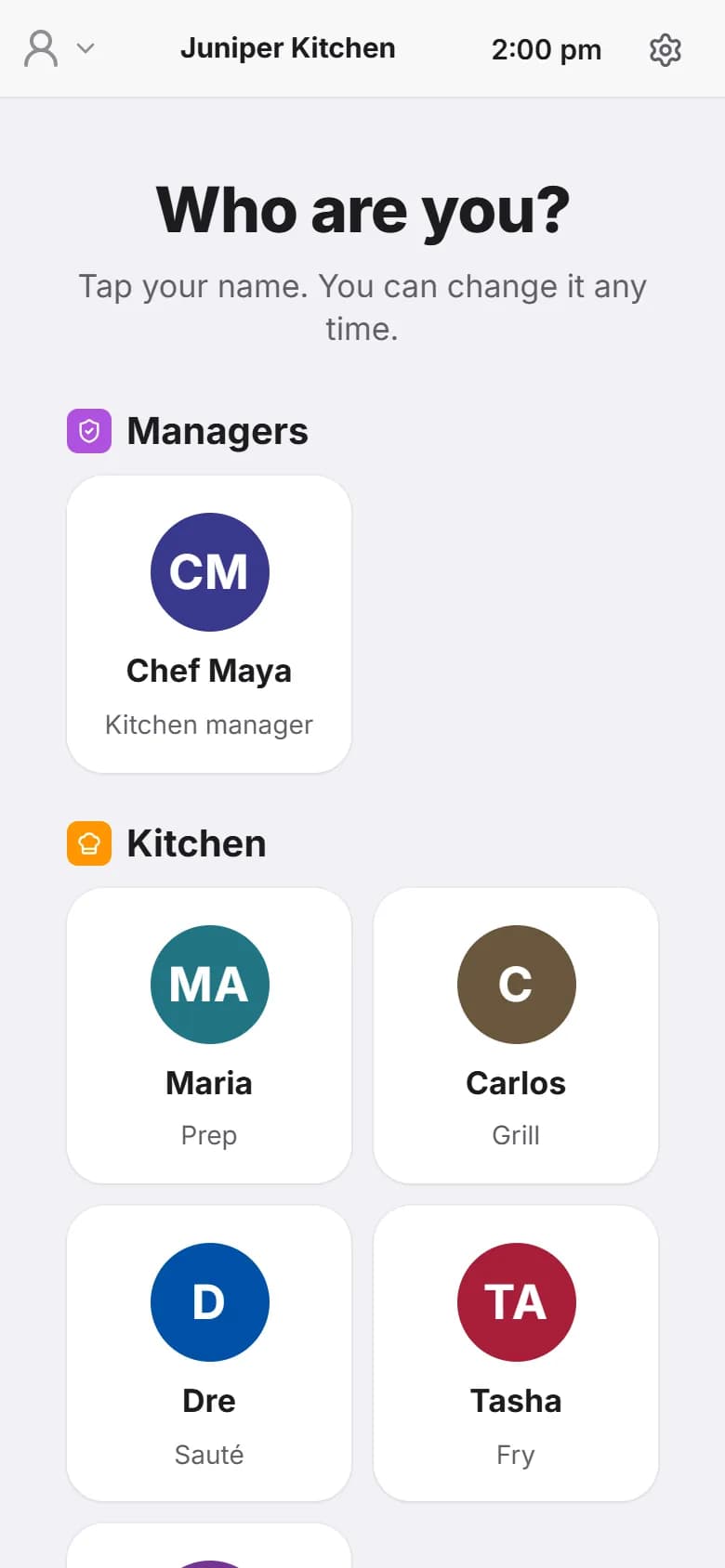
No passwords on a busy line. Each person taps their name and gets the screen for their job: managers see money and orders, cooks see prep and the board, servers see tables and the menu. All names here are sample data.
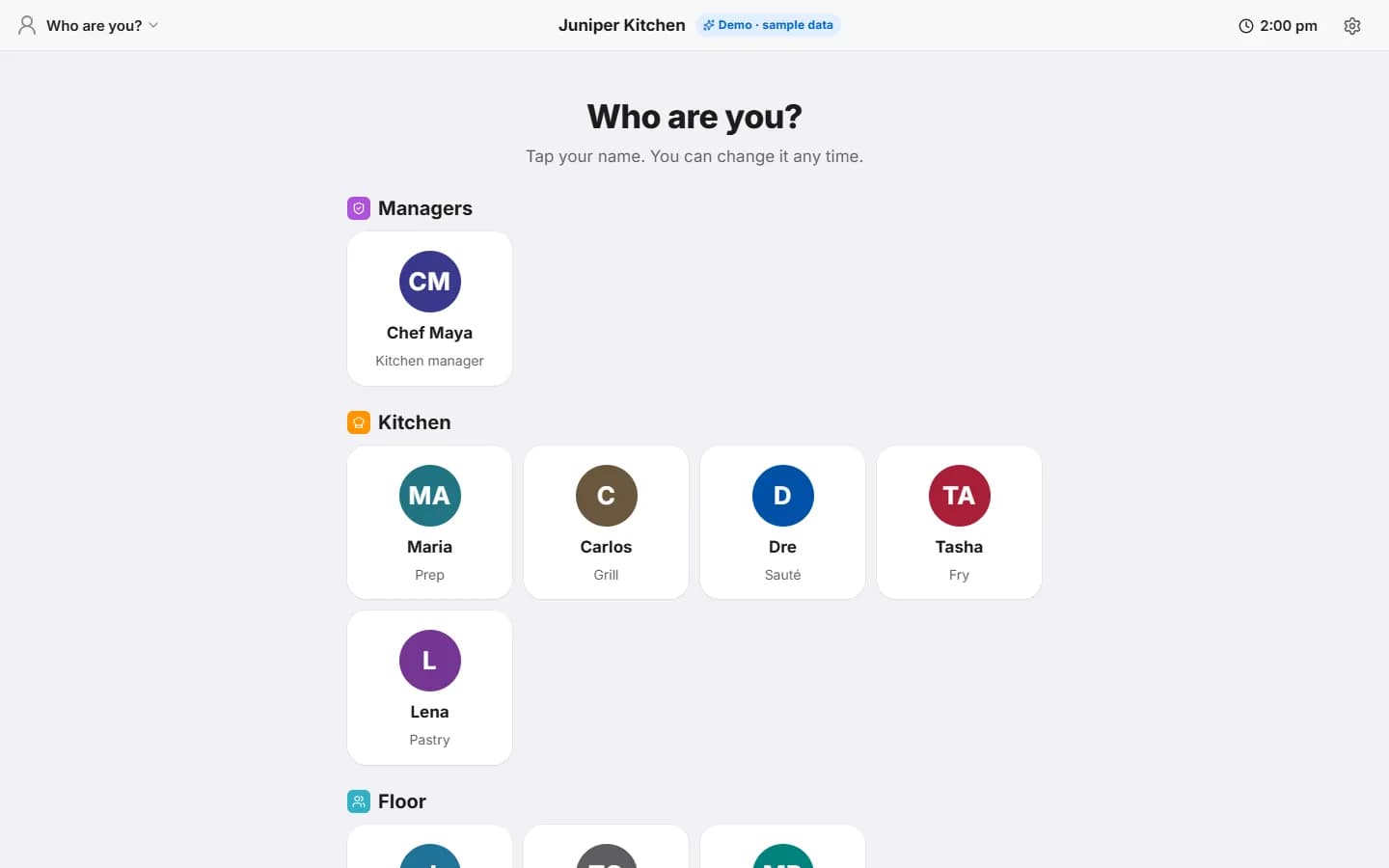
Manager
Stock, orders, numbers, deliveries, and adding dishes.
Cook
Today, prep, the board, stock, and the menu. No money on screen.
Server
Tables, the menu, and the 86 list. Nothing from the back of house they do not need.
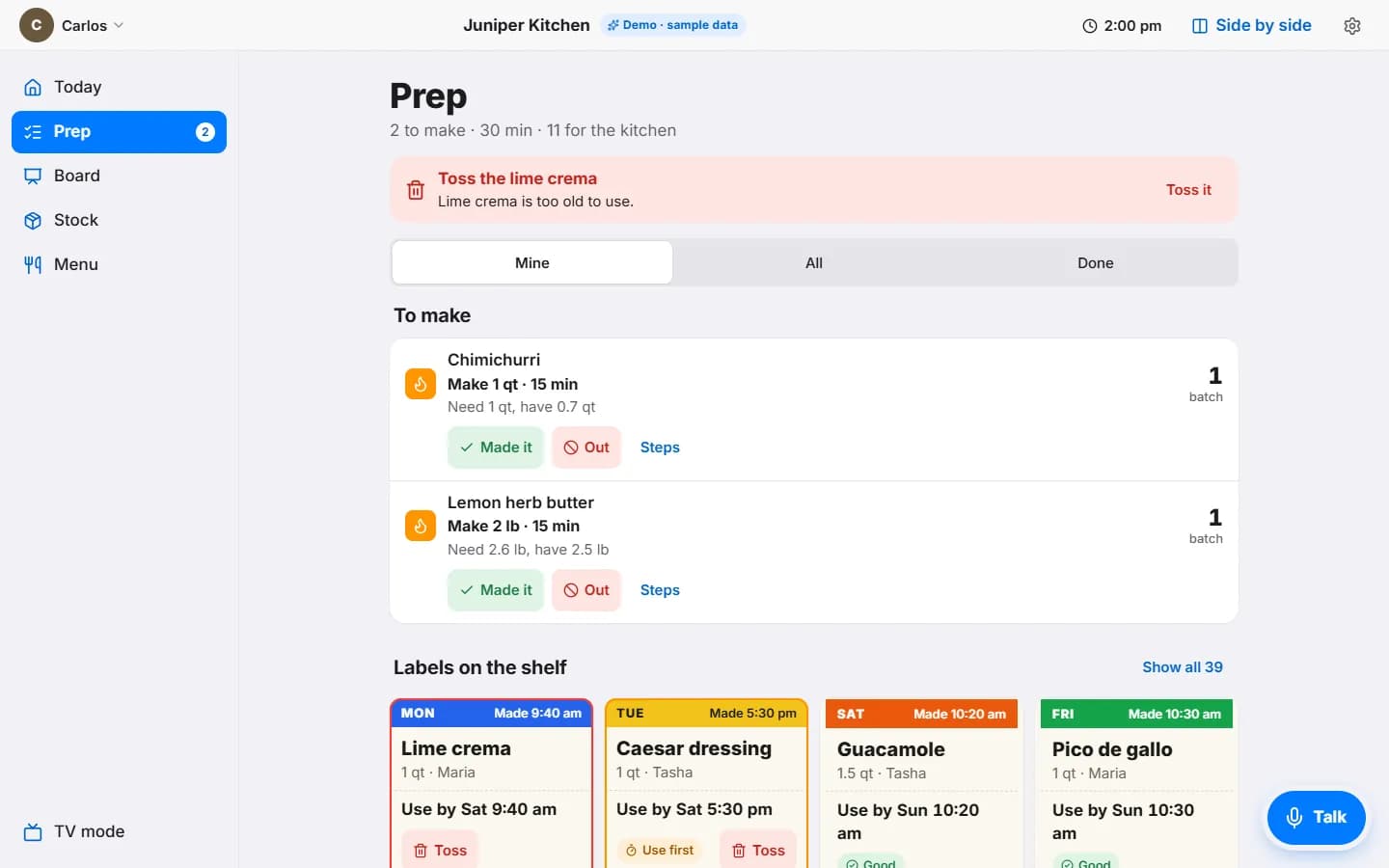
The board, the prep list, and the labels on the shelf.
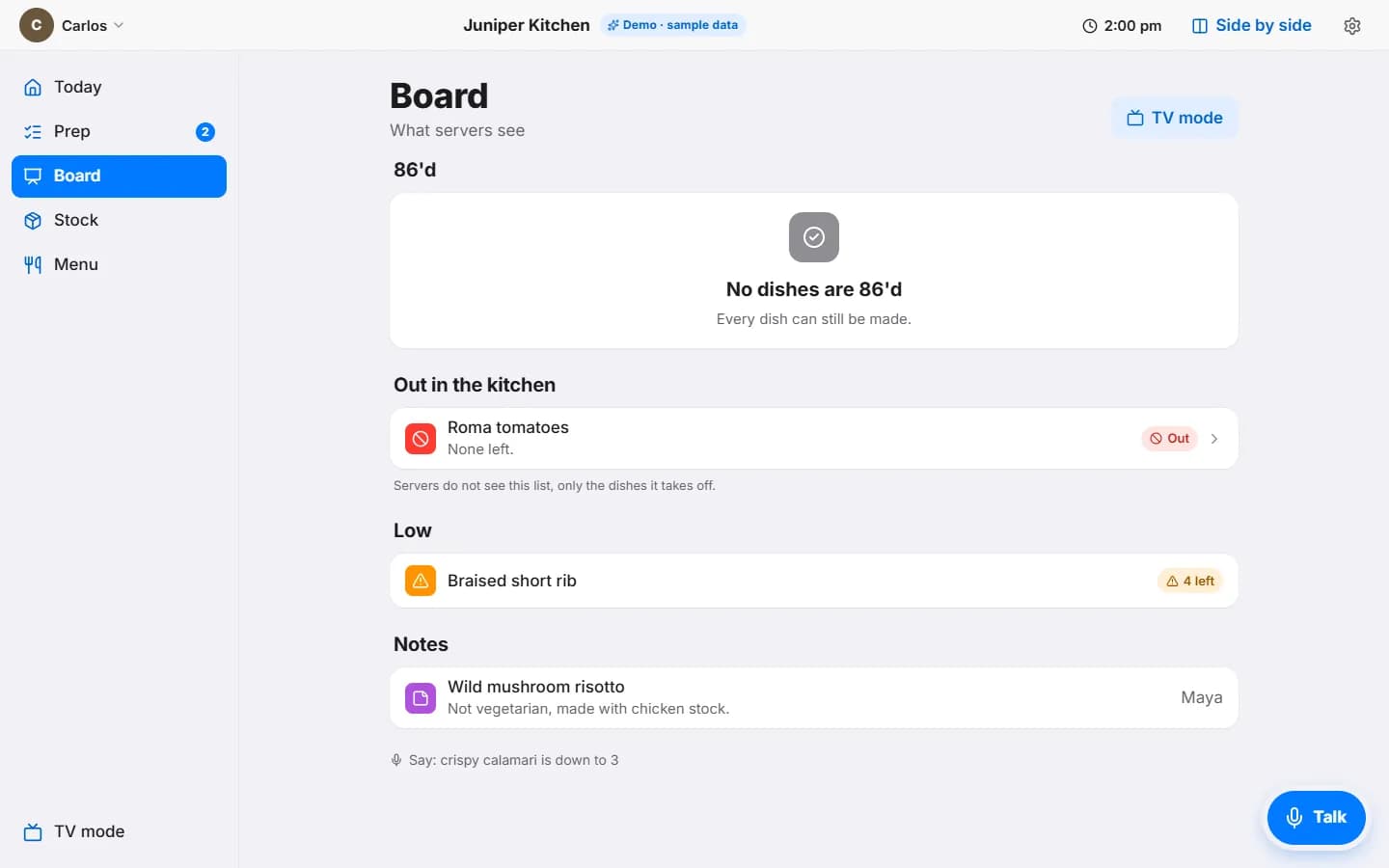
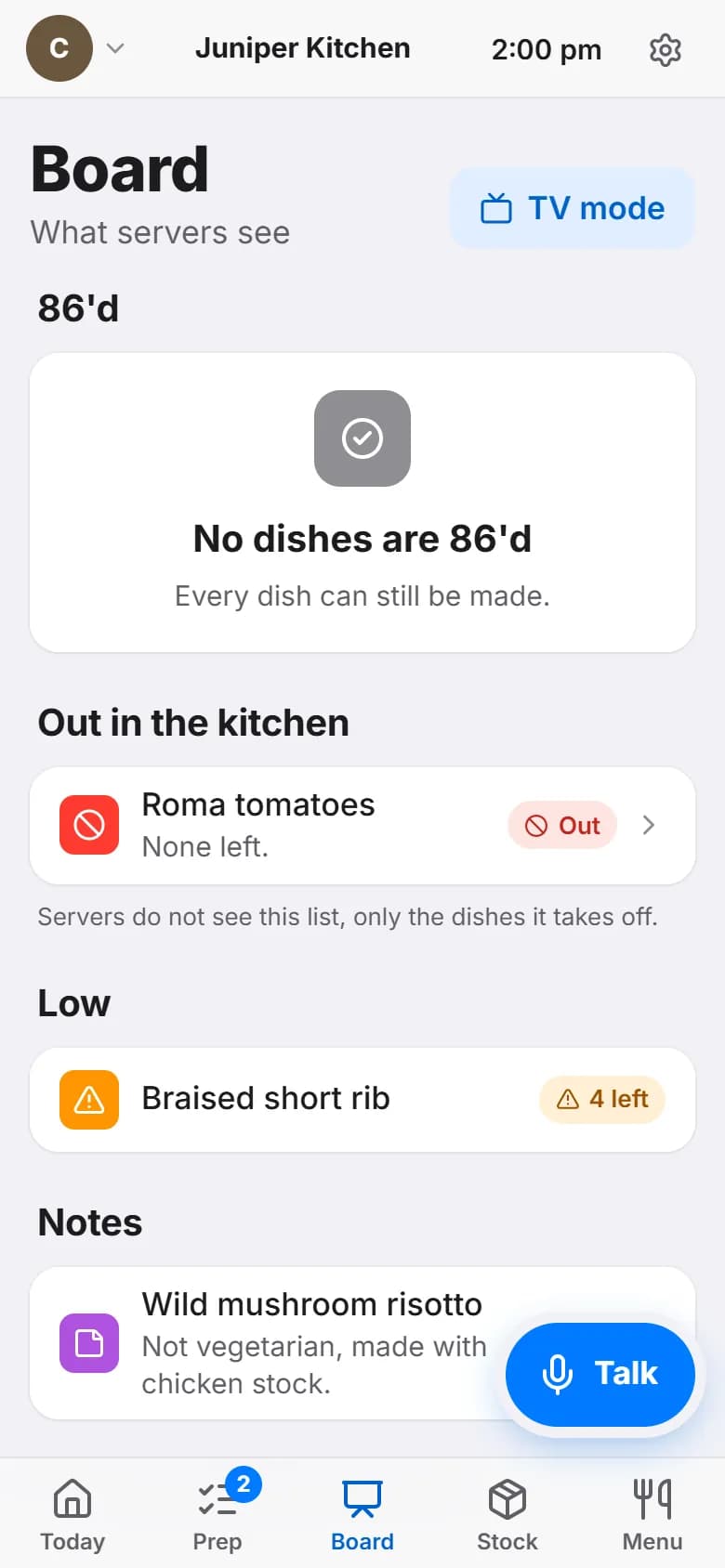
The board is what the servers see, shown to the kitchen so there are no surprises. Prep is a short list with what to make, how much, and why.
What servers see, from the kitchen side
Dishes that are 86'd. Ingredients that are out, and the note that servers do not see this list, only the dishes it takes off. Dishes running low with a count. Notes from the chef, like “not vegetarian”.
Make this, this much, because
Each prep item says how much to make and how much is on hand. “Made it” puts it on the shelf with a use-by label. Something too old to use gets a red line at the top: toss it.
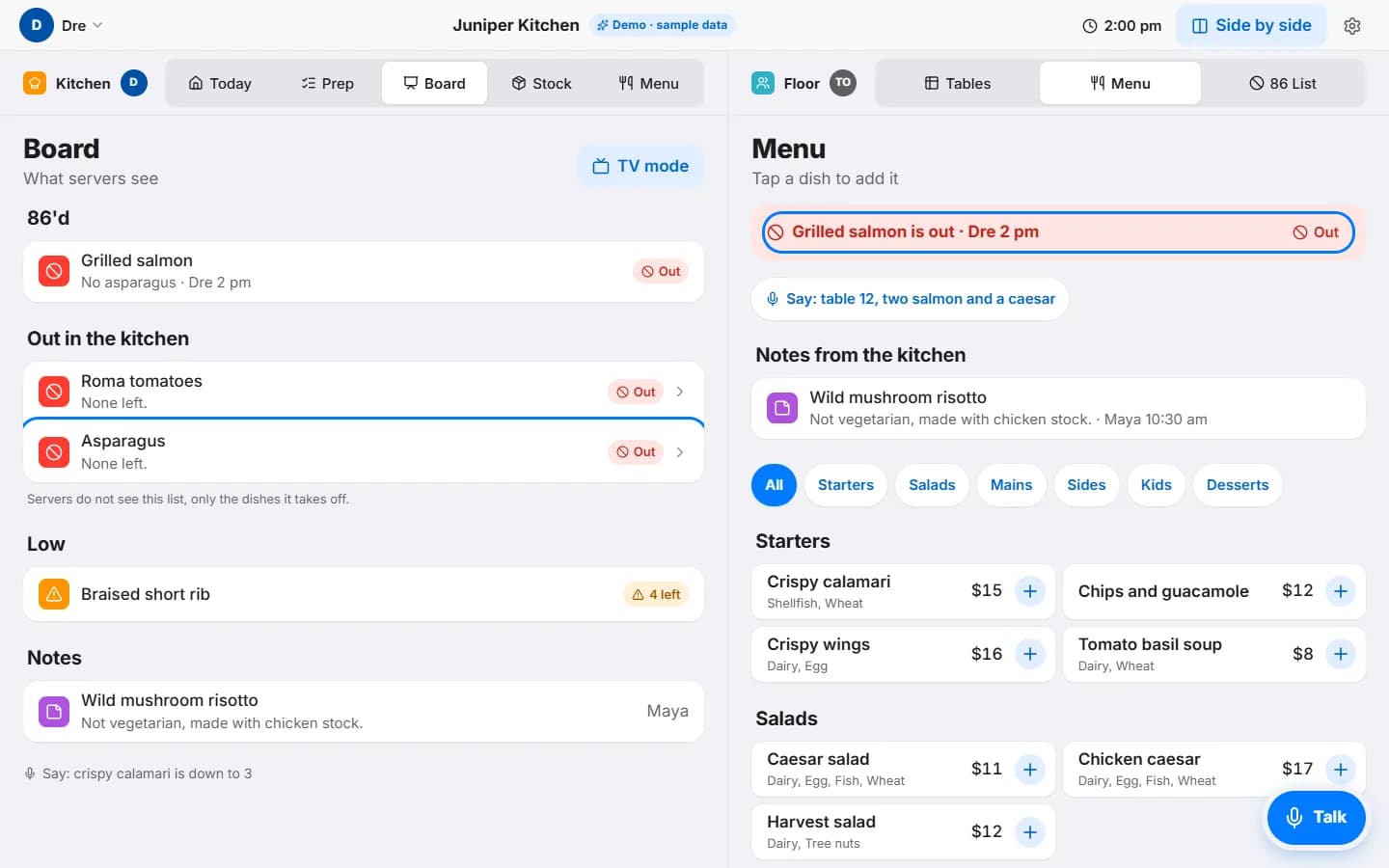
Out in the kitchen, gone from the menu.
The demo has a side-by-side view: kitchen on the left, floor on the right, in one browser, so you can watch a change land. Here a cook has said asparagus is out, and grilled salmon, which is served with it, left the server menu.
Big type for the pass
The board on a screen above the line: what is 86'd, what is low, and the chef's notes. Dark, large, readable from across the kitchen.
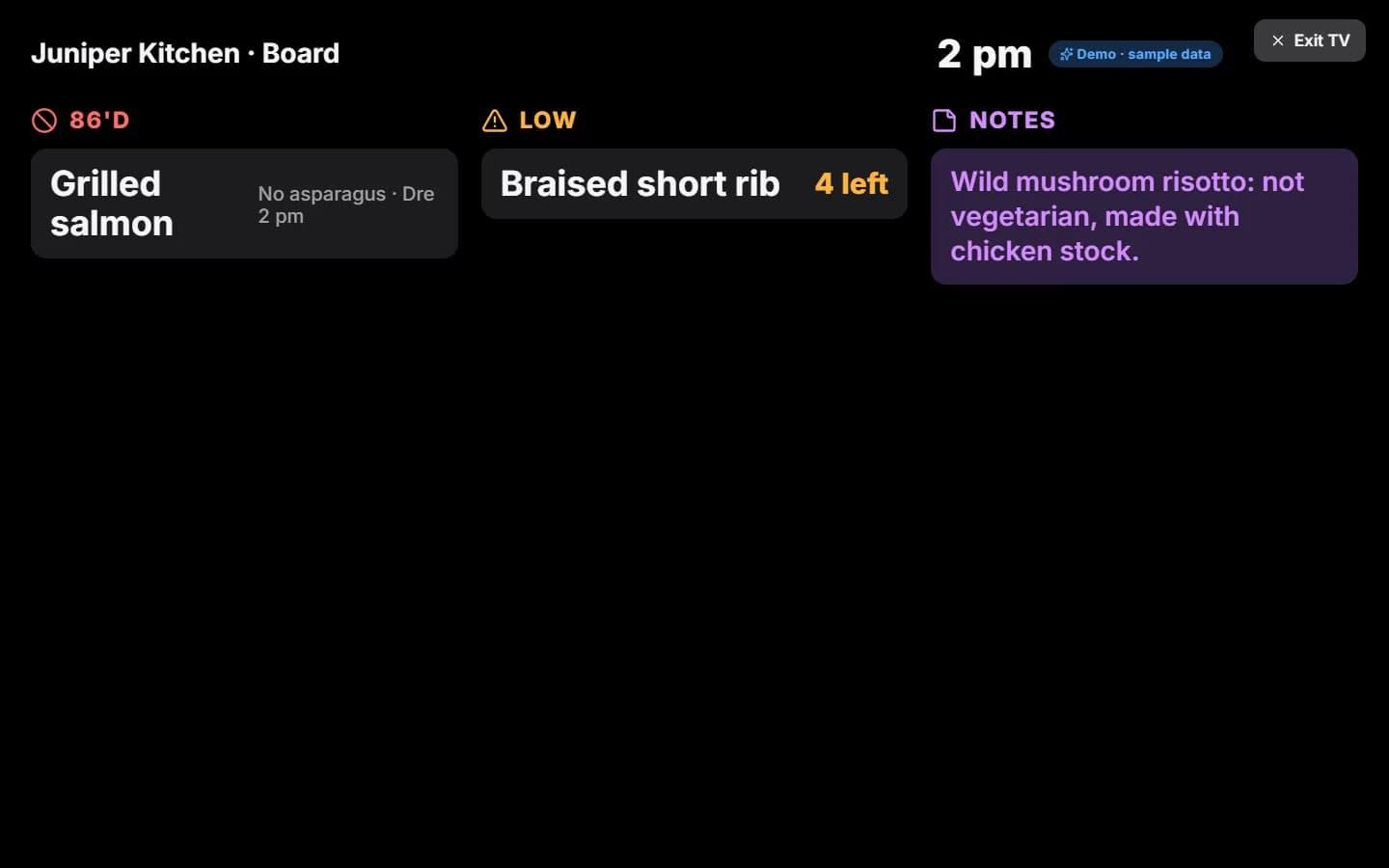
In the demo the two sides update together because they are on one screen. Syncing separate phones across a floor is on the “still to build” list below.
“86 the asparagus.” Done, and here is what it changed.
Hands are wet, gloves are on, the line is loud. Tap Talk, say what changed, and it does the work. The voice needs Chrome or Edge for now, and you can type instead.
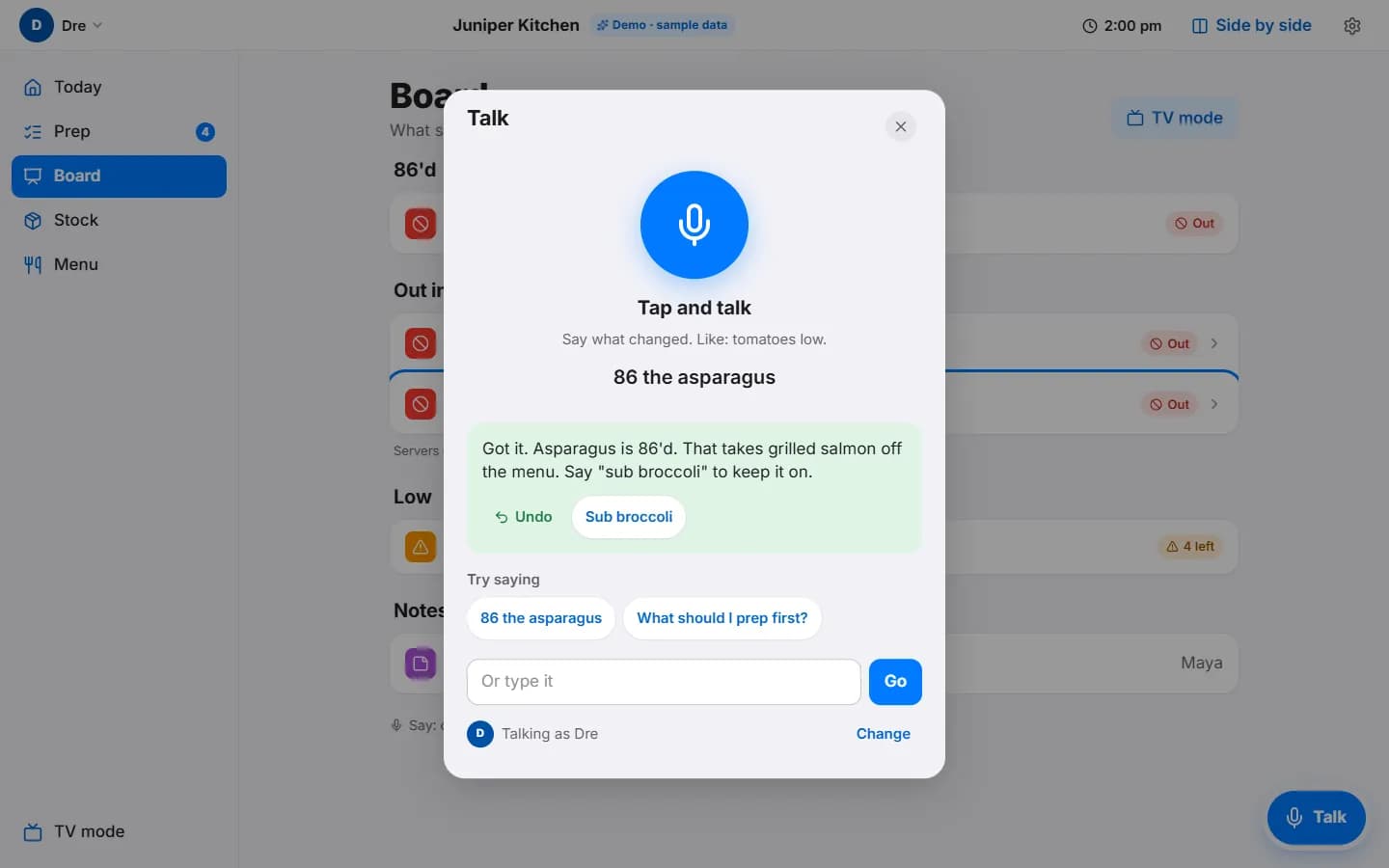
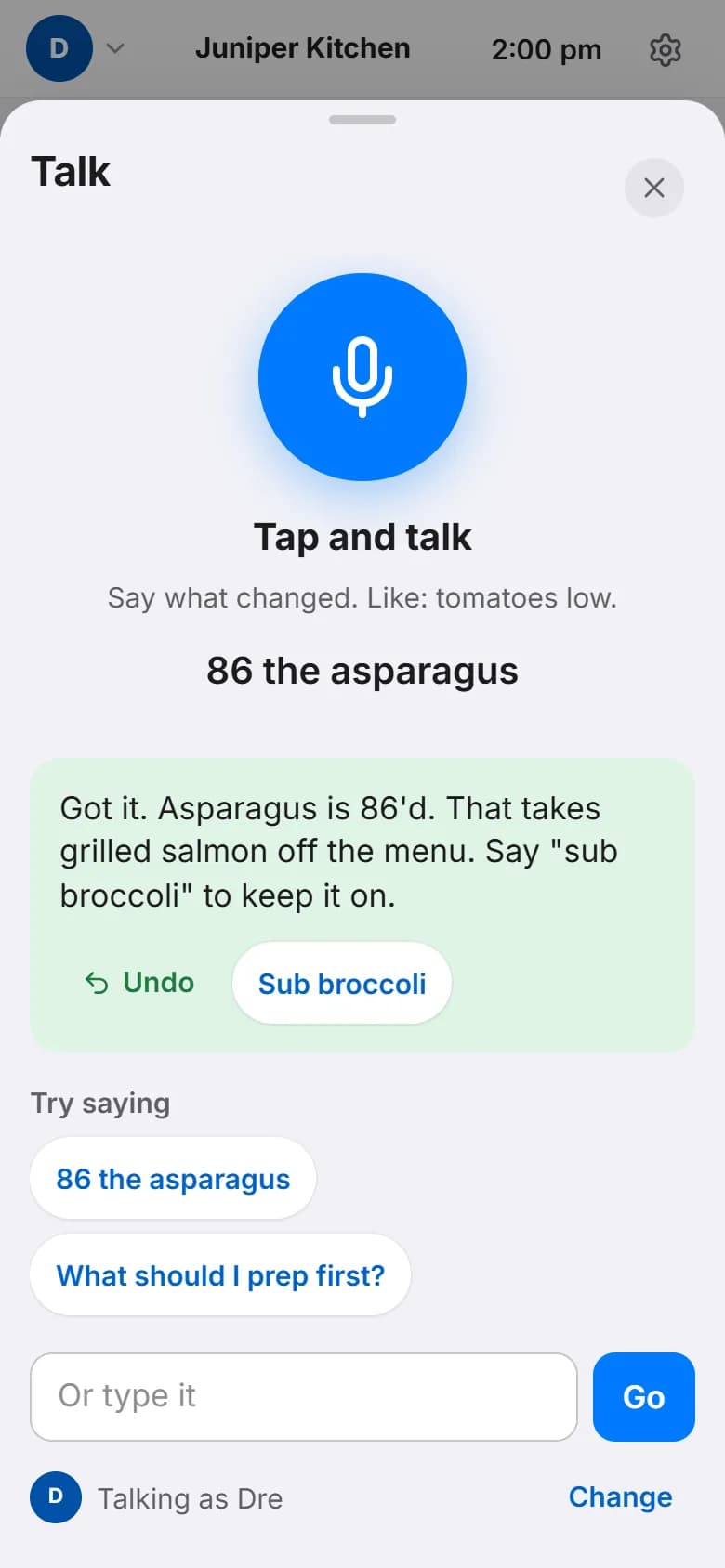
It tells you what happened
“Got it. Asparagus is 86'd. That takes grilled salmon off the menu. Say sub broccoli to keep it on.” Every change comes with an undo.
It asks before it guesses
If a command could mean two things, it asks. If a change would cost money, like sending an order or checking in a delivery, it shows a plan card and waits for a yes.
Cooks cannot do manager things
A cook asking to send an order is refused, plainly, before anything happens.
How we tested the voice
We wrote 216 test commands the way a cook would say them: clear ones, vague ones, questions, off-topic chatter, and a few that try to trick it. We ran the set three times. The first two runs made no wrong change. The latest run, on the build you can try today, made one: a cook reported one short item and it tried to check in the whole delivery. The confirm screen showed that first, so nothing was saved. When a command was unclear, it asked instead of guessing, every time. The AI reads the words; the board itself checks every change against real stock before it lands.
Stock, orders, and the short case that gets caught.
Stock, the order list, the numbers, and the delivery check. This is where the money is, so only managers see it.
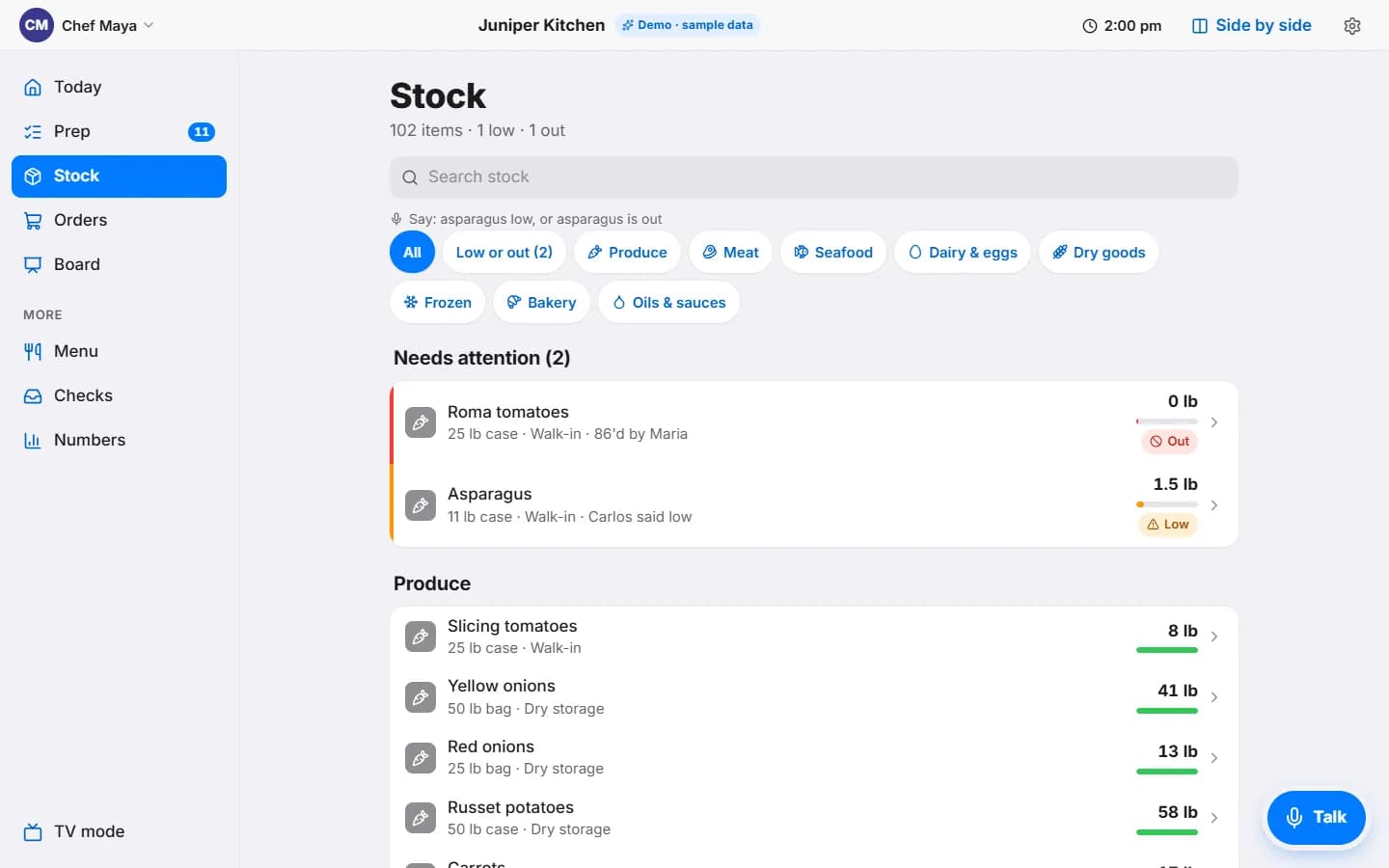
102 sample items, two need attention
Everything sorted by where it lives. Low and out float to the top with who said so and when. Say “asparagus low” and it moves.
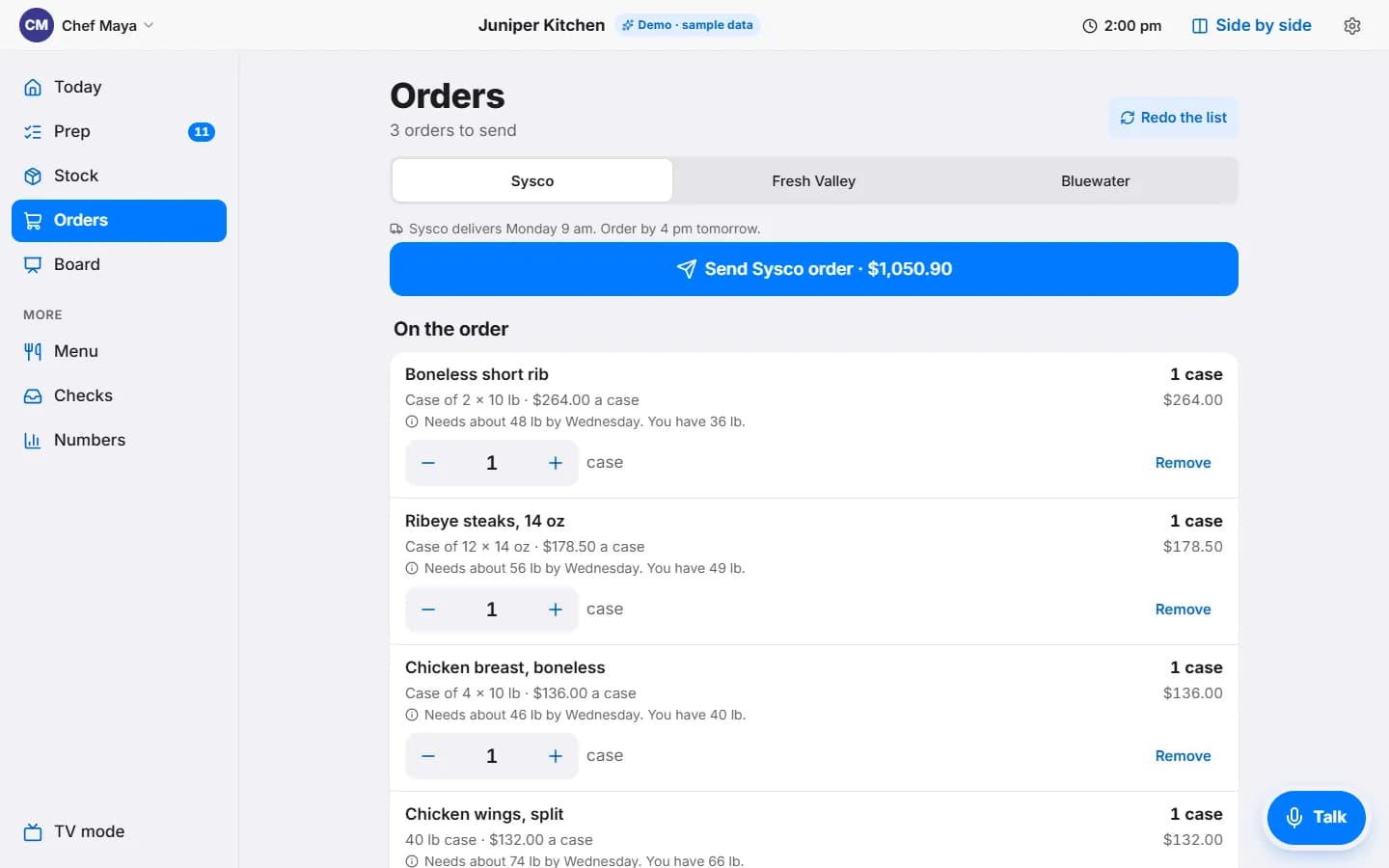
An order built from tonight
Each supplier gets its own list. Every line says what tonight needs and what is on hand, so the number of cases is not a guess. One tap to send.
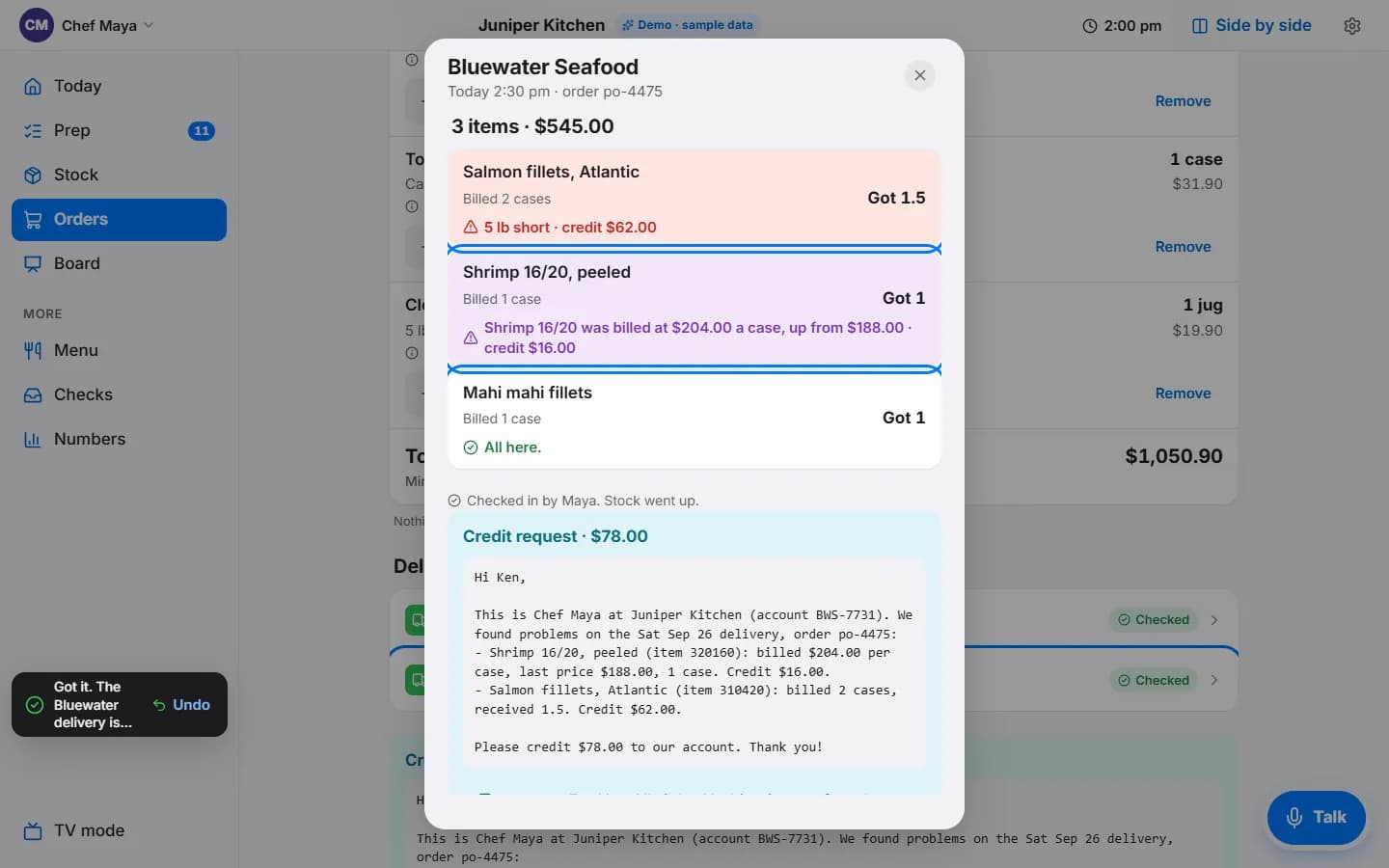
Short by five pounds, credit written
Check a delivery in against what was billed. A short case or a price that went up is flagged, stock goes up by what actually arrived, and a credit request is drafted in plain words for the supplier.
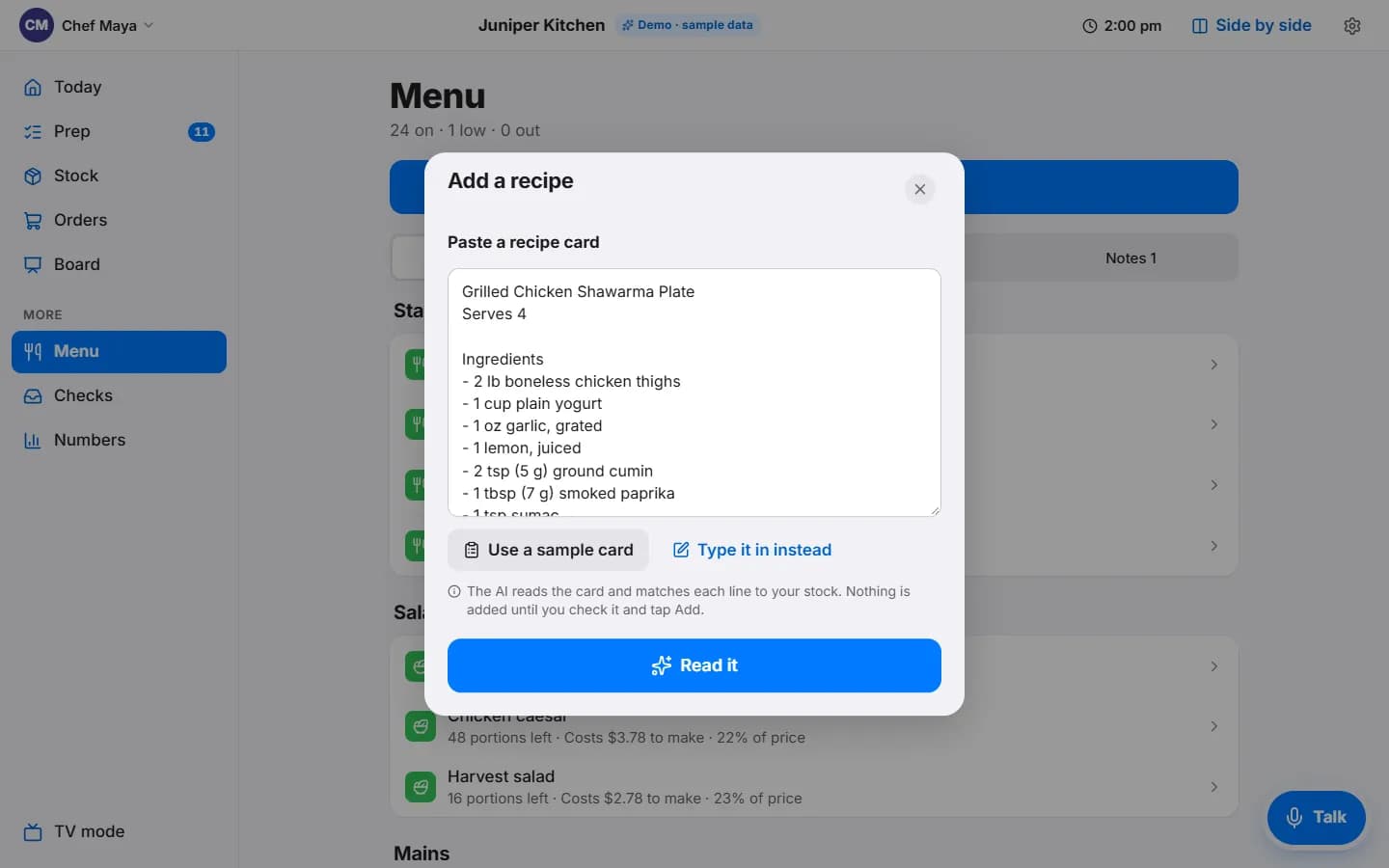
A recipe card in, a costed dish out.
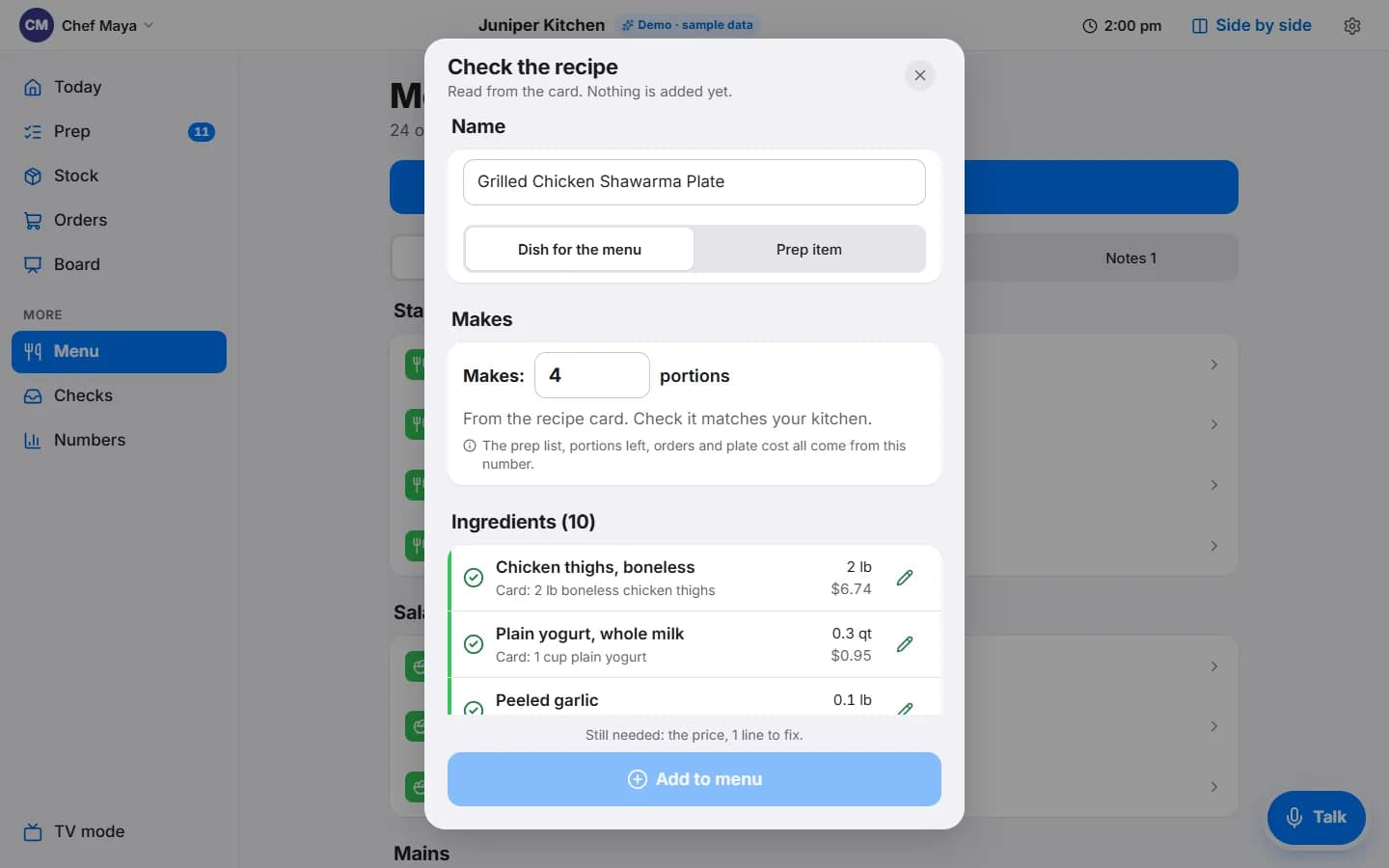
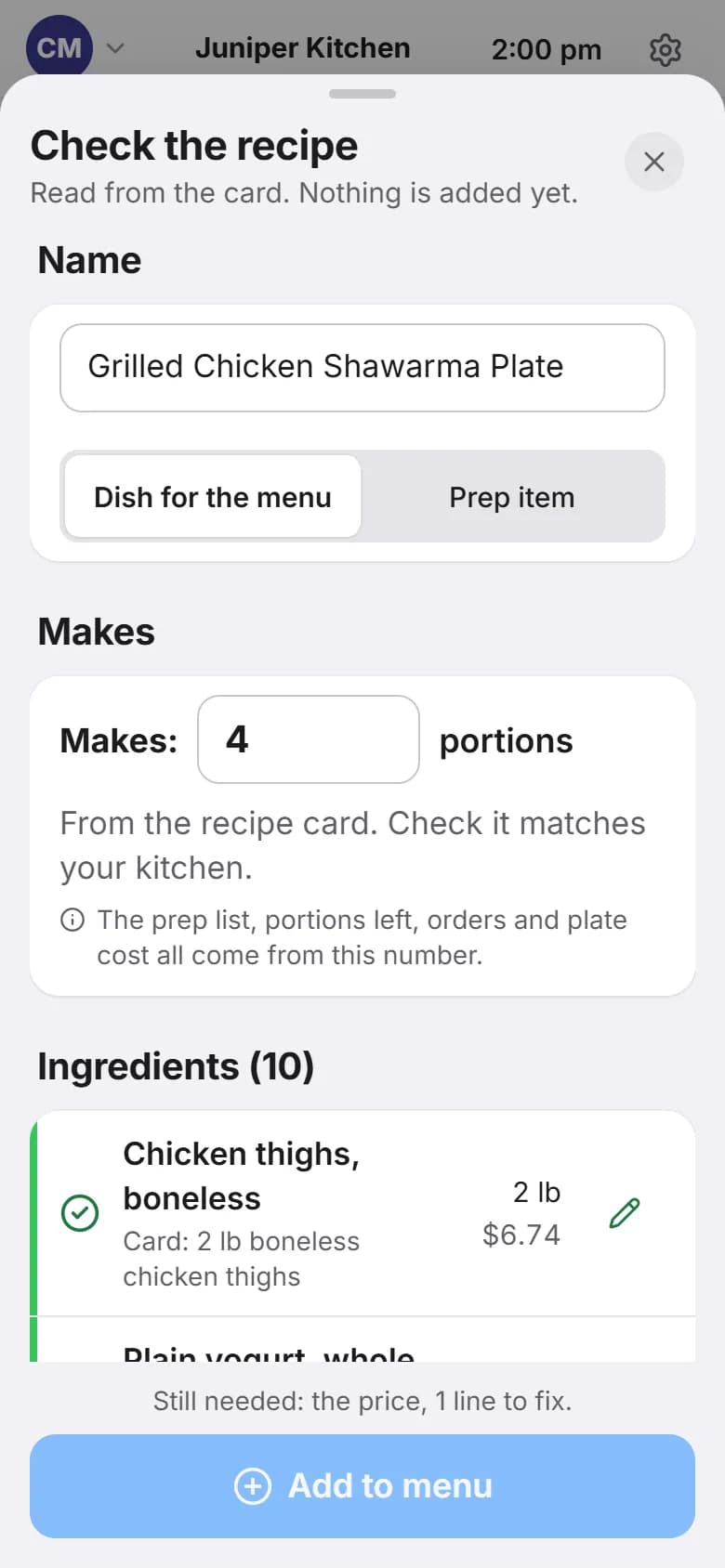
Many kitchens keep recipes as text: a note, a doc, a card typed out by hand. Paste one in and Line Board turns it into a dish with a plate cost, a food cost, and a count of how many it can make right now.
Paste the card
Name, serves, ingredients, method. Nothing is added until you check it and tap Add.
Check every line
Each ingredient is matched to your stock with its amount and cost. Green means matched. Orange means fix the amount or pick the item. One line it could not match, like a spice you do not carry, it asks about instead of guessing. Plate cost, food cost and “can make now” update as you go.
On both menus at once
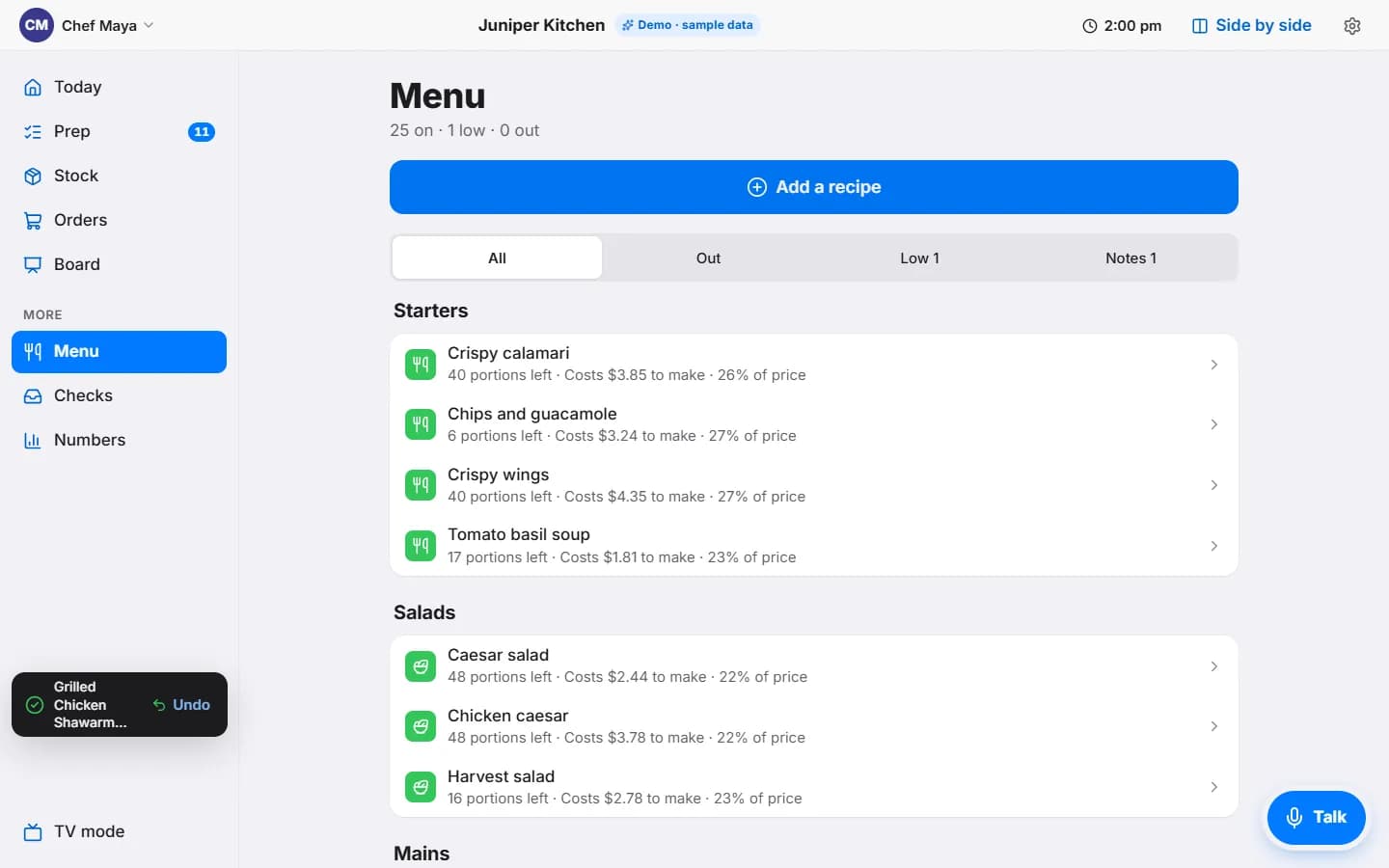
Tap Add to menu. The dish shows on the kitchen menu and the server menu in the same moment, with an undo in case you change your mind.
How we tested the reader
We wrote 12 sample recipe cards the way a kitchen would: a batch salsa, a braise, a curry, a dessert, one with cups and tablespoons, one with no yield, one with an item not in stock. The cards have 95 ingredient lines, and we read each card twice. All 190 reads of a line came back with the right item, amount and unit, exactly as written on the card, and it never made up a number. The AI matches the words; you still check the screen before anything is added.
One honest limit: when a card says “2 tablespoons” of a spice you stock by the pound, it asks you for the weight rather than guessing it.
Where the build stands today.
We would rather show you the list than round it up.
Working in the demo today
- Role picker: manager, cook, server
- The board, prep list and use-by labels
- 86 a dish or an ingredient, with the server menu updating
- Side-by-side view and TV mode
- Voice and typed commands, with undo and a confirm step for anything that costs money
- Stock by location, low and out
- Orders per supplier, built from tonight's needs
- Delivery check-in with a drafted credit request
- Recipe card import with plate cost and food cost
- Phone and desktop layouts
Still to build
- Syncing separate phones and screens across a real floor (today, the demo syncs within one browser)
- Connecting to a real point of sale
- Your own stock and menu loaded in, not sample data
- Voice in browsers other than Chrome
- A first kitchen running it for real
Open the demo. Break nothing.
It runs on sample data for a made-up restaurant. Tap a name, 86 something, talk to it, paste a recipe. Nothing is saved to a real kitchen. Voice needs Chrome or Edge; typing works anywhere.
Supplier names are for the demo. We are not affiliated with Sysco.
Want this in your kitchen? Restaurants and cafes get a free consult while we build. Read the restaurants and cafes page · See the Barista Plus store